Proteus Natural
Proteus Natural reconstructed the deliberately reduced 360p source at 1080p with restrained detail recovery.
Topaz Labs in Omnipix
Upscale, denoise, sharpen, relight and repair image and video files with specialized Topaz models. The comparisons below are Omnipix outputs, not vendor demos.
68 specialized models across 9 task families
Specialized image and video restoration, enhancement, upscaling, and utilities.
One damaged source, three approaches
We deliberately reduced the same recent clip to 360p, then restored it to 1080p with Proteus Natural, Starlight Fast 2 and Starlight Precise 2.6. The lost original is not used as a hidden ground truth.
Proteus Natural
Proteus Natural reconstructed the deliberately reduced 360p source at 1080p with restrained detail recovery.
Starlight Fast 2
Starlight Fast 2 rebuilt the same 360p source at 1080p with a stronger detail pass than Proteus Natural.
Starlight Precise 2.6
Starlight Precise 2.6 produced the most assertive 1080p reconstruction in this three-model comparison.
Starlight Precise 2.6 is the current model for high-quality video reconstruction. It builds on Precise 2.5 and adds softness and output-watermark controls. Every Precise example above was produced with 2.6. Precise 2.5 remains available in the catalog.
Open Starlight Precise 2.6 →Photography
These three camera and archive sources expose different failure modes: sensor noise in deep shadows, underexposure, and physical surface damage.
Low-light denoise
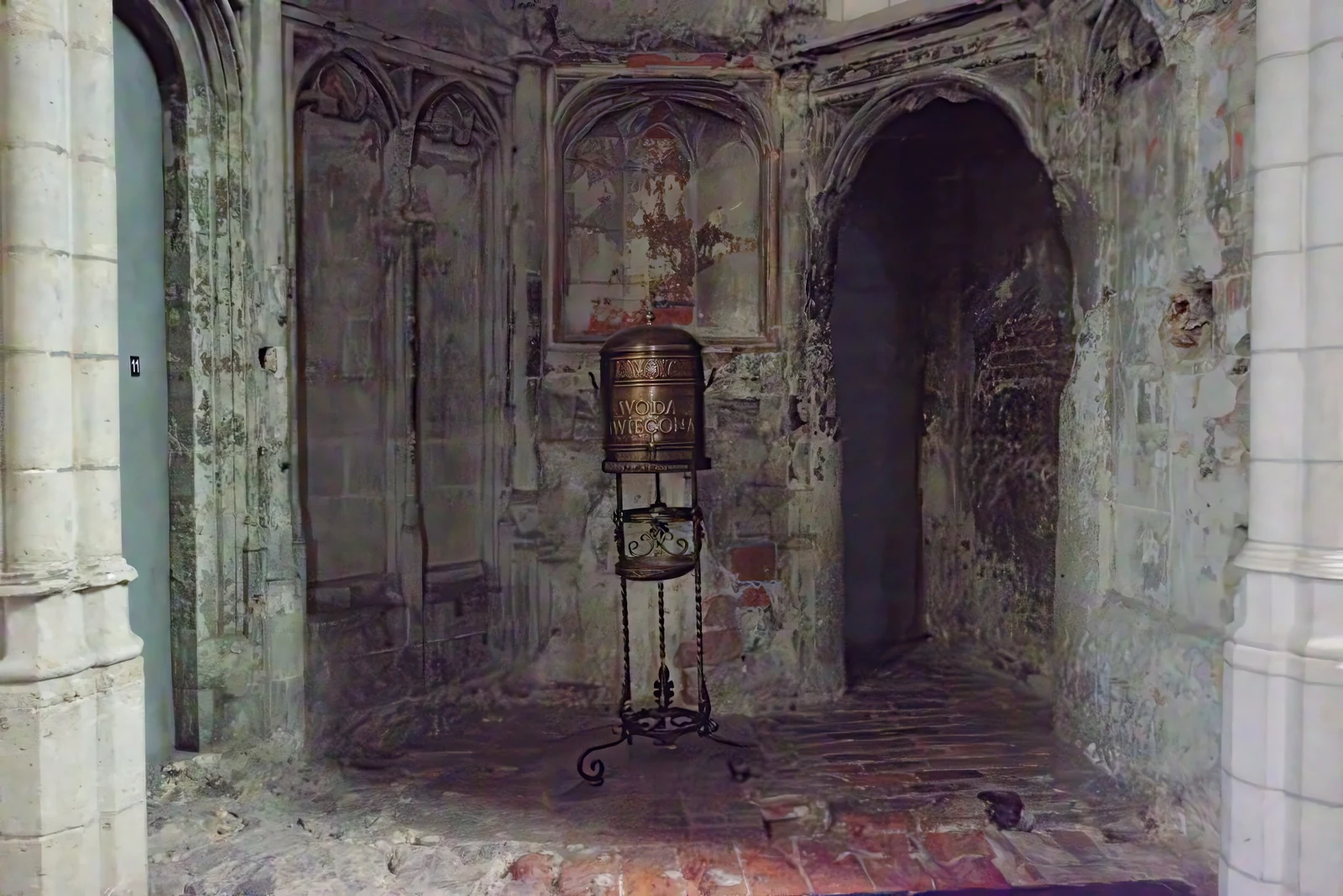
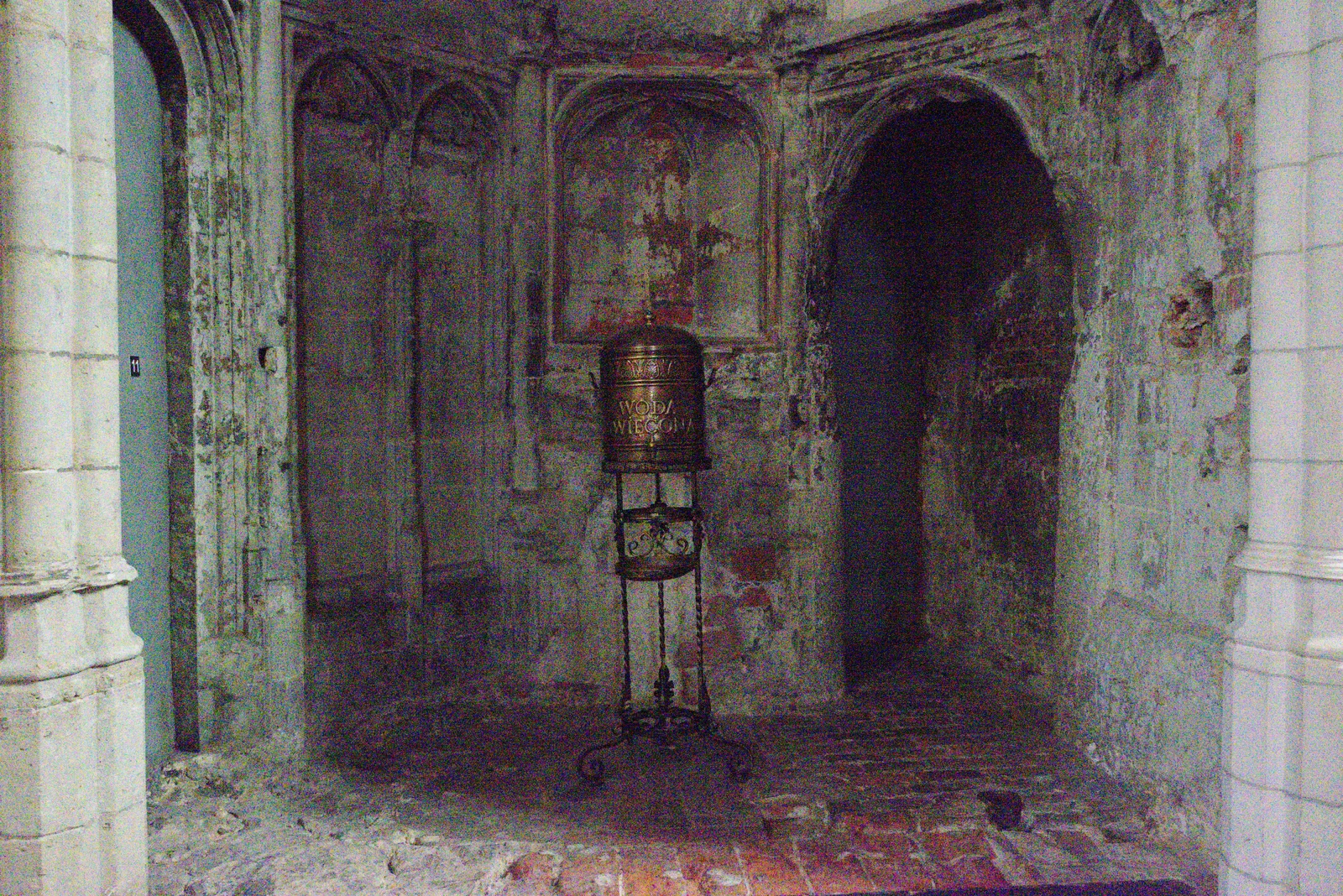
Photo by Trougnouf (Benoit Brummer) from the Natural Image Noise Dataset. Modified with Topaz Strong. Source · CC BY 4.0
Lighting recovery
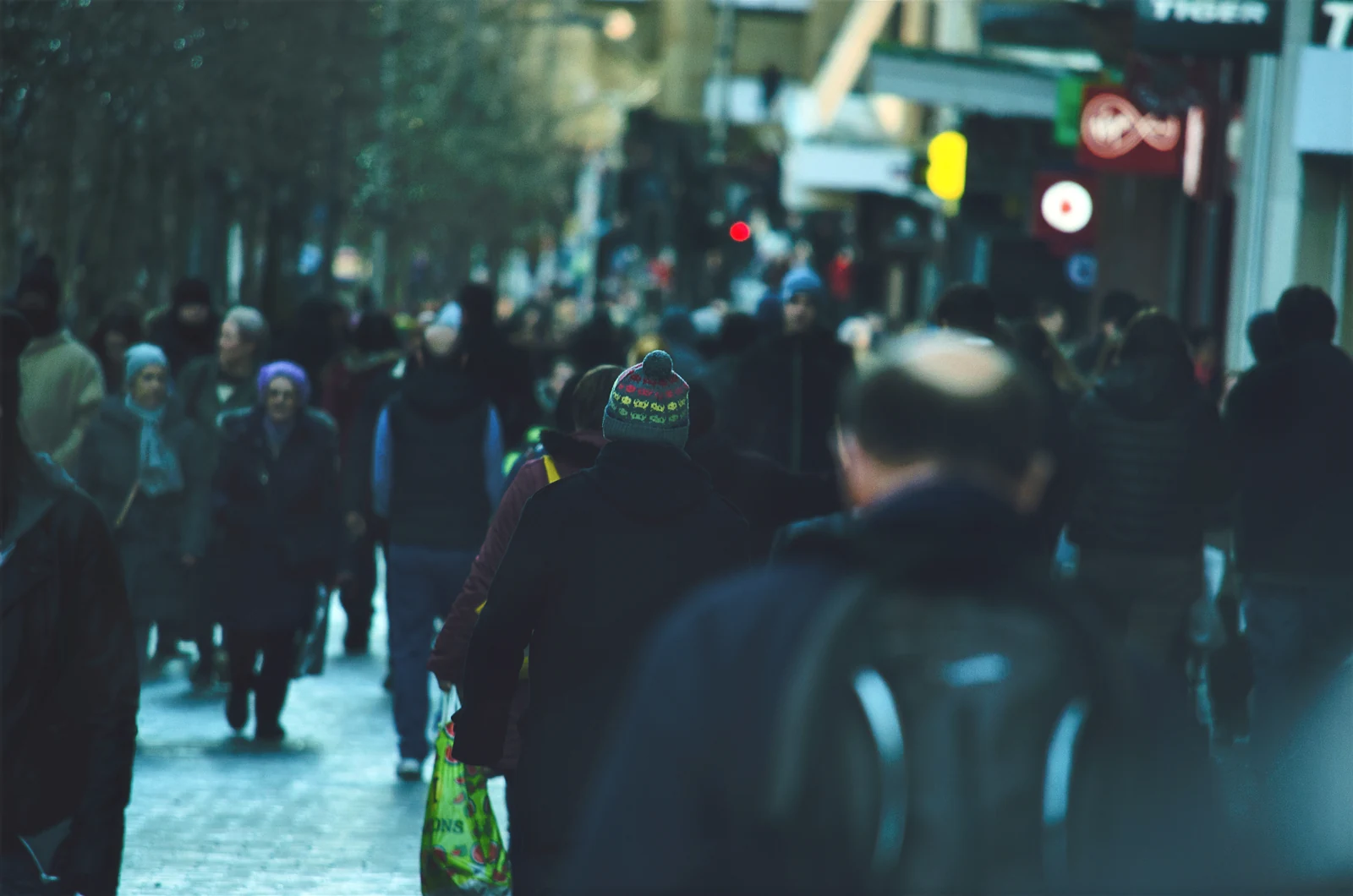
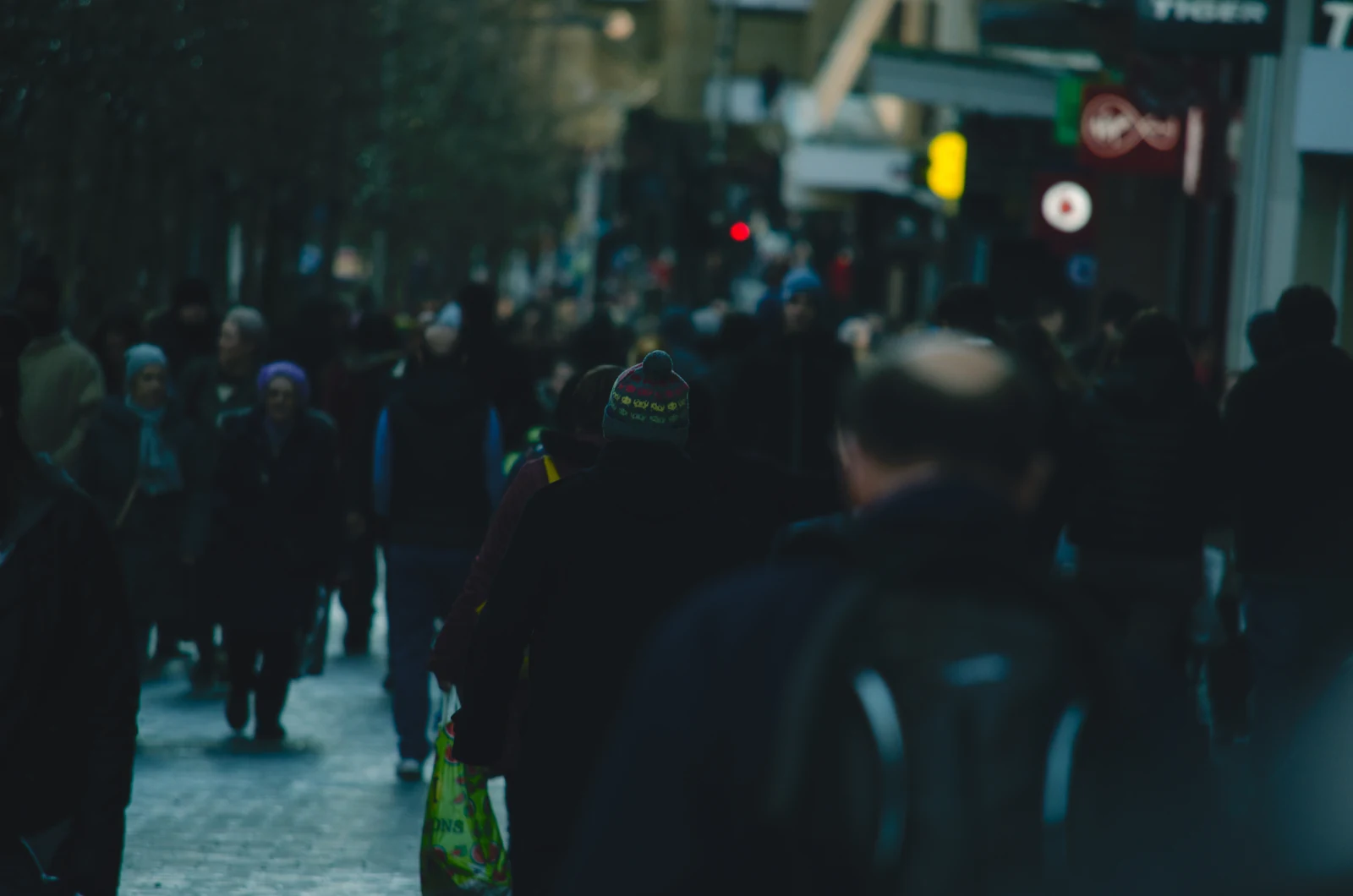
Photo by Alexander Dimitrov. Modified with Topaz Adjust Lighting 2. Source · CC0
Dust and scratches
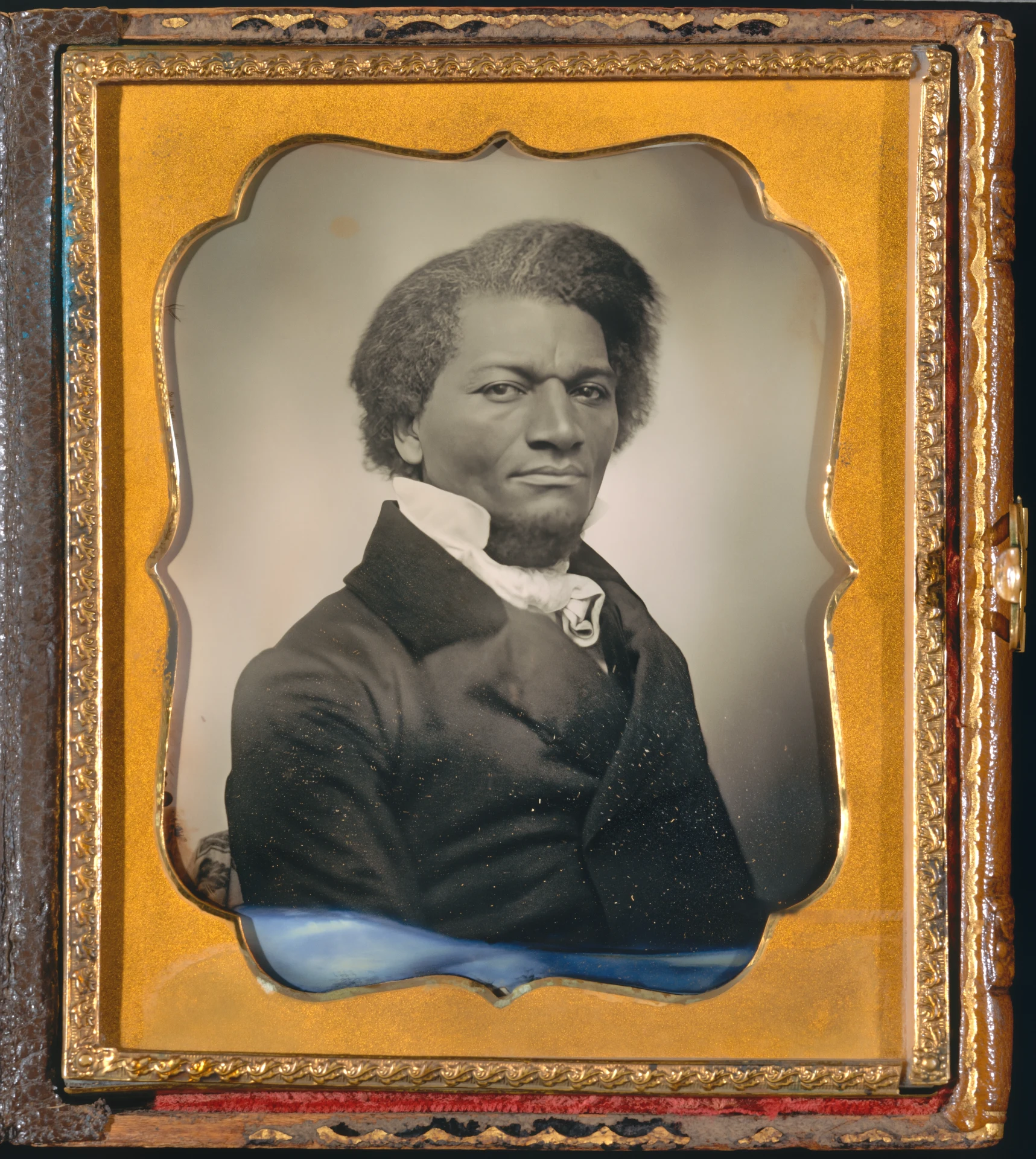
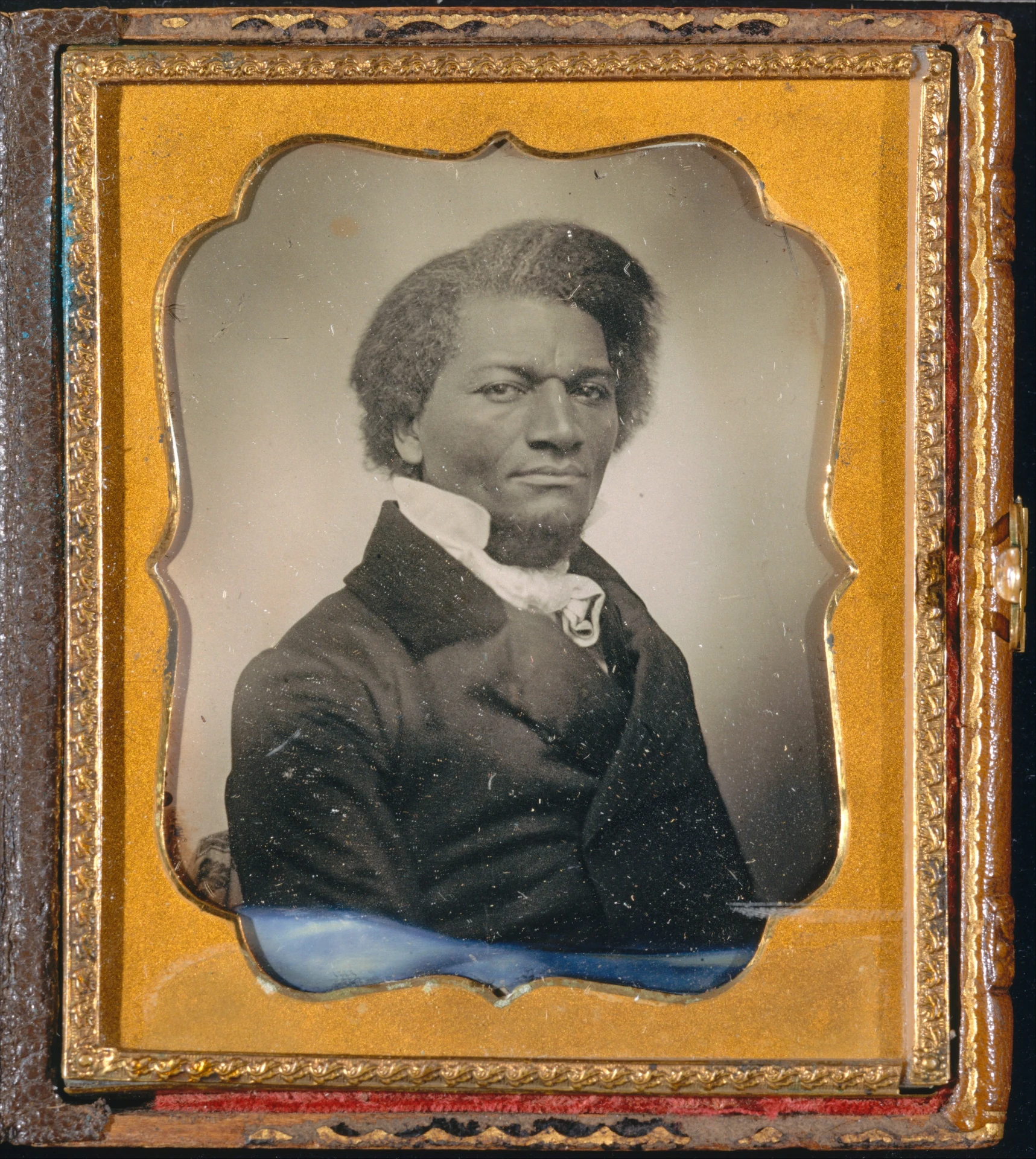
The damaged portrait is a public-domain circa-1855 daguerreotype of Frederick Douglass from The Metropolitan Museum of Art. Source
Generated video
The same LTX-generated shot was reduced to 360p. Precise 2.6 protects the scene; Astra 2 uses a prompt to invent a more authored version of missing fine detail.
Starlight Precise 2.6
Precise 2.6 preserved the generated shot while rebuilding fine brass, foliage and glass detail at 1080p.
Astra 2
Astra 2 used a text prompt to make a more creative 1080p reconstruction of the same generated source.
One continuous LTX 2.5 Fast shot generated for this comparison, then deliberately reduced and compressed before Topaz processing.
Archival video
A personal 1996 VHS-era clip processed with Starlight Mini. The source is progressive, so this is an archival restoration example—not a deinterlacing claim.
Starlight Mini
Starlight Mini restored a progressive VHS-era personal clip at 1080p while retaining the date stamp and period character.
Model map
Topaz is not one universal enhancer. Omnipix exposes separate families for enlargement, noise, focus, color, cleanup and video reconstruction.
Correct light and color
4 models
Topaz Adjust Lighting 2 · Topaz Balance Color · Topaz Image Colorization · Topaz Relight Creative 1
Topaz Color and Lighting →Create intermediate frames
3 models
Topaz Aion · Topaz Apollo · Topaz Chronos
Topaz Frame Interpolation →Remove damage and backgrounds
3 models
Topaz Background Removal · Topaz Dust & Scratch 2 · Topaz Image Object Matting
Topaz Image Cleanup →Remove image noise
4 models
Topaz Extreme · Topaz Max · Topaz Normal · Topaz Strong
Topaz Image Denoise →Recover focus and motion detail
11 models
Topaz Lens Blur 2 · Topaz Motion Blur · Topaz Natural · Topaz Noise-Aware Sharpen · Topaz Portrait · Topaz Refocus · Topaz Standard · Topaz Strong · Topaz Super Focus 2 · Topaz Super Focus 3 · Topaz Wildlife
Topaz Image Sharpen →Enlarge photographs and generated art
18 models
Topaz Art & CGI · Topaz Bloom 2 · Topaz Bloom Creative · Topaz Bloom Realism · Topaz Detail Faces · Topaz High Fidelity 3 · Topaz High Fidelity V2 · Topaz Low Resolution V2 · Topaz Recover 3 · Topaz Redefine · Topaz Standard Max · Topaz Standard V2 · Topaz Text & Shapes · Topaz Transparent Image Upscale · Topaz Wonder · Topaz Wonder 2 · Topaz Wonder 3 · Topaz Wonder 3.5
Topaz Image Upscale →Remove video noise
4 models
Topaz Nyx · Topaz Nyx Fast · Topaz Nyx High Fidelity · Topaz Nyx XL
Topaz Video Denoise →Restore and upscale video
17 models
Topaz Artemis · Topaz Astra 2 · Topaz Dione · Topaz Gaia · Topaz Gaia 2 Animation · Topaz Hyperion 2 · Topaz Hyperion 2.5 · Topaz Iris · Topaz Proteus Natural · Topaz Rhea · Topaz Starlight Fast 2 · Topaz Starlight HQ · Topaz Starlight Mini · Topaz Starlight Precise 2.5 · Topaz Starlight Precise 2.6 · Topaz Starlight Sharp · Topaz Theia
Topaz Video Upscale →Deblur, colorize and stabilize
3 models
Topaz Hyperion · Topaz Themis 2 · Topaz Video Colorization
Topaz Video Utilities →Questions
No. It reconstructs a plausible higher-resolution result from the evidence in the source. Stronger models can create convincing detail, but that detail is still inferred.
Use Proteus Natural for restrained general restoration, Starlight Fast 2 for a stronger practical pass, Precise 2.6 when reconstruction quality matters most, and Astra 2 only when creative reinterpretation is acceptable.
Topaz processing cost and waiting time scale with duration and output resolution. Short reviewed clips make model differences inspectable before you commit a longer source.
No. Clipped highlights, severe blur, missing frames and compression damage may be irreversible. Compare a representative short section before processing an entire asset.
Open the relevant Topaz family, process a representative crop or clip, and only then apply the chosen model to the full asset.