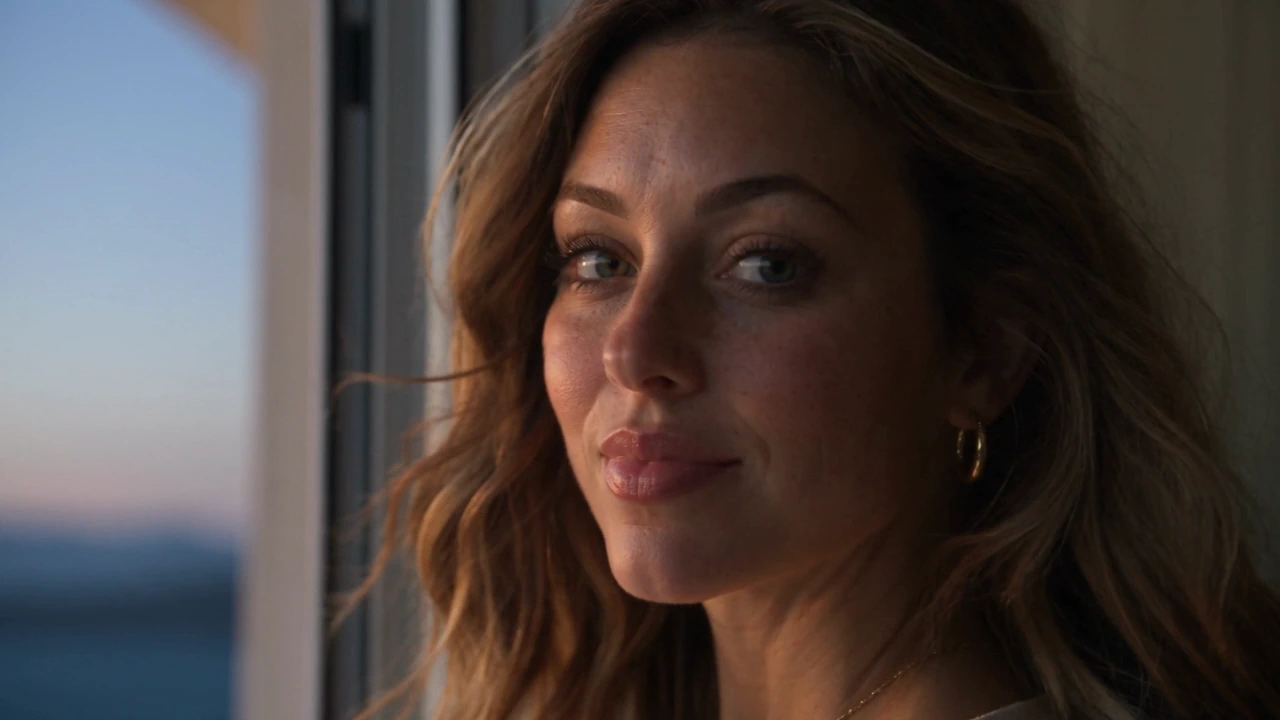
A performance with a voice
Write dialogue, pauses, atmosphere and music into the scene. Generate synchronized sound with the picture, or choose silent output.
Seedance 2.5 in Omnipix
Turn a portrait and an idea into a scene with presence. Direct the performance, camera and sound — with up to 30 seconds to tell the whole story.
30
seconds in one generation
30 + 10 + 10
images · videos · audio references
Native
picture and sound, together
Room for a complete story
One portrait sets the character. The prompt gives the scene a beginning, a turn and an ending, with changing camera angles, footsteps, music and a final line of dialogue.
From portrait to performance
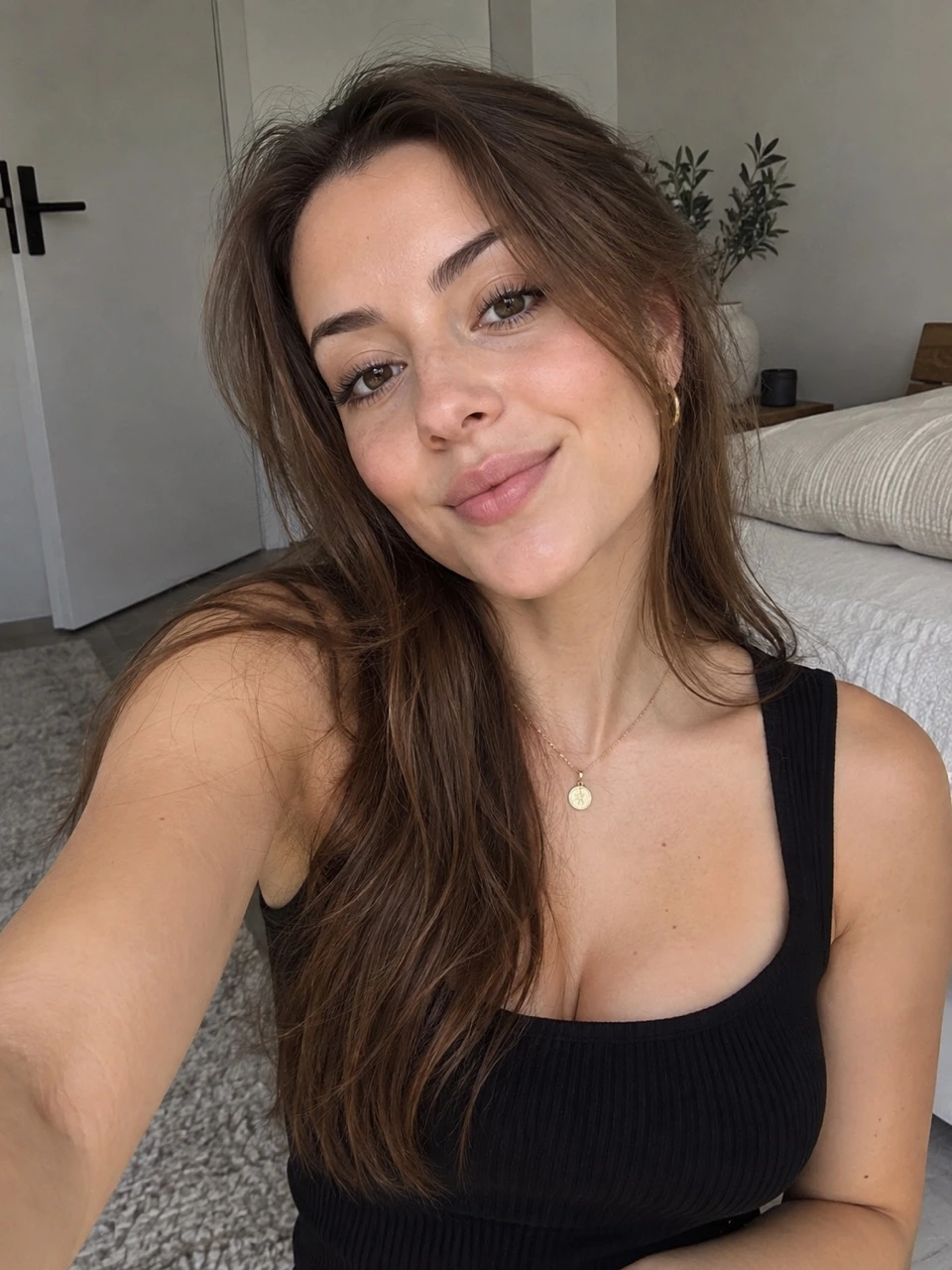
Three AI-generated portraits, supplied from GPT Image 2.5. Three different directions. Compare each reference with its Seedance result and explore the exact prompt and settings.
Portrait reference
Generated video · sound on
15s · 720P · 9:16
Create a photorealistic 15-second vertical creator film. @Image1 supplies the adult woman's identity, brown hair, gold necklace and black top. Preserve her facial structure and natural skin texture throughout. Begin in the softly sunlit bedroom from the reference, filmed on a handheld phone at eye level. 0–4s: she glances toward the window, then back into the lens with an amused, spontaneous smile. Tiny handheld movement, relaxed breathing and natural blinks. In a warm conversational English voice she says {I had a whole plan for today.} 4–9s: she tucks a loose strand of hair behind one ear, pauses, then laughs softly and says {Then the light did this.} A passing cloud clears and warm sunlight gently travels across her face and the wall, with realistic exposure adjustment. 9–15s: she turns the phone slightly toward the window and leans into the light, then looks back at the lens and says {Some things are worth slowing down for.} Finish on an unforced smile with a quiet breath. Exact speech with synchronized lips, expressive but subtle eyes, human pacing and believable hands. <Soft room tone, distant birds outside, a faint fabric rustle.> No background music, voiceover, captions, titles, beauty filter or artificial skin smoothing. One intimate continuous take, no cuts, no montage.
Bring your own character
Your AI portrait doesn’t have to come from a ByteDance model. Bring a character from the image tool you already use, upload it in Omnipix, and direct the scene. Omnipix prepares your portrait for use as a Seedance reference.
Use portraits you have the rights and permissions to use, whether AI-generated or real.
References and results remain subject to provider review.
More ways to direct
Write dialogue, pauses, atmosphere and music into the scene. Generate synchronized sound with the picture, or choose silent output.
Use image references to guide appearance and style. Describe the action, shot changes and details that should carry through the sequence.
Combine image, video and audio references to guide the camera, motion and sound. Name each reference and explain its role in the prompt.
Animate an opening image or supply both endpoint frames. Choose adaptive framing so the output follows your opening composition.
Pay as you create
The cost depends on your output settings and reference media. Review the quote in the workspace before every generation. No subscription is required.
How Omnipix pricing works →From idea to video
Choose a portrait, scene or other material you have permission to use. Keep identity references clear and well lit.
Name @Image1 and describe the subject, action, location, camera and sound. Give longer scenes a few timed beats.
Set the duration, resolution, framing and audio. Omnipix shows the price before you generate.
Review the face, motion and sound together. Adjust the direction, generate another take or download the result.
Yes, you can upload an AI-generated portrait as a reference. Use images you have the rights and permissions to use.
Use portraits only with the necessary rights and the person’s permission.
Yes. Enable audio and describe the dialogue, effects, ambience or music in your prompt. The model generates sound with the video. The examples on this page can be played with sound.
Seedance 2.5 can generate up to 30 seconds in one request. For longer scenes, describe the sequence in timed beats so the model has a clear progression to follow.
The native workflow supports text, first/last frames, or mixed image, video and audio references: up to 30 images, 10 videos and 10 audio files. Omnipix currently offers 480p, 720p and 1080p output. Use adaptive framing for first/last-frame generation.
Seedance 2.0, Fast and Mini are also available. Choose the version that fits your scene and budget.
Seedance 2.0 with native audio, first/last-frame control, and multimodal image, video, and audio references.
Faster Seedance 2.0 workflow with the same text, frame, multimodal-reference, and native-audio input structure.
Lower-cost Seedance 2.0 for high-volume generation with native audio and output up to 720p.
Start with a portrait. Add a little direction. See where the scene takes you.